Venmo for Art Commissions With Fees, Business Profile Rules and a Fee Calculator
Enter the commission price and which Venmo profile takes the money. You see what Venmo keeps, what reaches your bank, and the price to set so you still net the figure on your sheet, from Venmo's published fees.
Fees read on Venmo's own fees page in October 2026.
On this commission a business profile costs than a tagged payment to a personal profile. The last figure is the price to ask so that, after the same fees, you still receive the amount you typed in.
The short answer
Venmo is the cheapest common way for a US artist to be paid for a commission, provided the money lands on a business profile. That costs 1.9% plus $0.10, or $2.95 on a $150 commission, against $4.65 on Stripe and $5.73 on a PayPal invoice. A payment to a personal profile tagged as goods and services costs 2.99%, about $4.49. To net $150 on a business profile, charge $153.01. Venmo only works between US accounts, and its seller protection does not cover a client who says the art is not as described.
- Fee on $150
- $2.95
- Monthly fee
- $0
- Dispute window
- 180 days
- Clients abroad
- No
Venmo business profile vs personal
Three ways a commission can arrive on Venmo, and only two are allowed
The same $150 from the same client costs you nothing, $4.49 or $2.95 depending on where it lands. The free one is the one that can get an account frozen.
- Seller fee, 1.9% + $0.10
- $2.95
- Added to balance
- $147.05
Allowed, and the cheapest
Payment to a Venmo business profile
Free to open as an individual seller or sole proprietor. Every payment over a dollar is a sale by default, so nothing depends on the client choosing the right toggle, and your commissions stay out of your personal feed.
Allowed, costs more
Personal profile, tagged goods and services
The client flips the goods and services toggle before sending. Venmo says a tagged payment cannot be untagged afterward, and an untagged one cannot be fixed by you, so the whole arrangement rests on the buyer.
Not allowed
Personal profile, sent as a friends payment
Venmo's user agreement says personal accounts "may not be used to conduct business, commercial or merchant transactions" unless the payment is identified as goods and services or goes to a business profile. It is free, it has no protection for either side, and it puts the account at risk.
Source: Venmo's fees page and business profile page, read 13 October 2026, which both list 1.9% plus $0.10 for business profiles. Venmo's Purchase Protection page quotes 2.99% for business profile sales as well, so check the fee line on your first payment. A business profile beats a tagged personal payment on any commission over $9.17.
Venmo art commission fees by size
What Venmo takes at four commission prices, and what to charge
On a business profile, divide the amount you want to keep plus $0.10 by 0.981. Put that number on the tier itself. A separate "Venmo fee" line reads badly to fans.
A sketch headshot
$50
- Business profile fee
- $1.05
- Personal, tagged
- $1.50
- You receive (business)
- $48.95
- Charge to net
- $51.08
A colored half body
$150
- Business profile fee
- $2.95
- Personal, tagged
- $4.49
- You receive (business)
- $147.05
- Charge to net
- $153.01
A rendered full body with background
$400
- Business profile fee
- $7.70
- Personal, tagged
- $11.96
- You receive (business)
- $392.30
- Charge to net
- $407.85
A book cover or brand mascot
$1,000
- Business profile fee
- $19.10
- Personal, tagged
- $29.90
- You receive (business)
- $980.90
- Charge to net
- $1,019.47
A deposit costs ten cents
Splitting $150 into a 50% deposit and a balance means two payments and two $0.10 charges: $3.05 instead of $2.95. That is the cheapest deposit split of any payment app on this page.
Getting the money out
A standard transfer to your bank is free and usually takes one to three business days. Instant Transfer costs 1.75%, with a $0.25 minimum and a $25 cap, which is $2.57 on the $147.05 left from a $150 piece.
Refunds keep the fee
If you refund a commission, Venmo keeps the seller fee you paid. Cancel a $150 piece and you send back $150 while being out $2.95, one more reason to take a deposit you do not refund after the sketch.
Not sure what the tiers themselves should cost? Our guide to art commission prices by style and size sets the base price, and the art commission sheet maker turns those numbers into a sheet you can post.
Is Venmo safe for art commissions
Four limits to know before you post your Venmo handle
US clients only
Venmo requires both sides to be in the United States with a US bank account. A fan in Toronto or Manchester cannot pay you, so you need a second method for them.
"Not as described" is on you
Seller protection covers unauthorized payments and "item not received" claims. It excludes "significantly not as described" claims, the one a commission client is most likely to file, and buyers have 180 days.
Digital delivery needs proof
The basic rule protects "a physical, tangible good that can be shipped"; intangible items fall under extra requirements and Venmo decides at its own discretion. Keep the delivery message and the approved sketch.
No adult content
Prohibited transactions include any that "involve pornography, obscene material or otherwise objectionable content". Venmo can hold a balance for up to 180 days after a policy breach.
Venmo also bars regularly recurring goods and services payments through Pay and Request, so it is the wrong tool for a monthly sketch club. For income, the IRS threshold for a Form 1099-K is over $20,000 in more than 200 transactions, and commission income is taxable with or without the form.
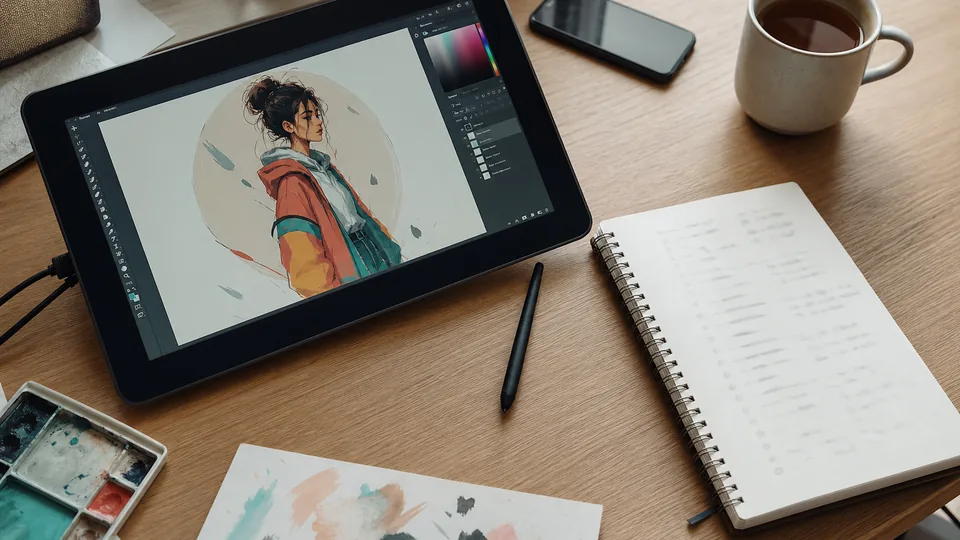
A payment note records an amount. The tier, the brief and the revision limit have to live somewhere else.
PayPal or Venmo for art commissions, and the rest
What the same $150 commission keeps on every other method
Venmo wins on price inside the US. Everything below it costs more because it reaches further, sends a real invoice, or brings buyers.
| Where you take payment | Cut | You keep | What you get | What is missing |
|---|---|---|---|---|
| Venmo business profile | 1.9% + $0.10 | $147.05 | Lowest card-free fee, familiar to US fans | US clients only, no tiers or brief |
| Venmo personal, tagged goods and services | 2.99% | $145.51 | Nothing to set up | Depends on the client tagging it |
| Stripe payment link | 2.9% + $0.30 | $145.35 | Any card, any country, no account to pay | Bans sexually explicit art |
| PayPal invoice, PayPal Checkout | 3.49% + $0.49 | $144.27 | Works worldwide, itemized invoice | Dearest of the raw payment apps |
| VGen or Ko-fi free plan | 5% + Stripe | $137.85 | A commission page and some discovery | Costs $9.20 more than Venmo per piece |
| Etsy custom listing | $0.20 + 6.5% + 3% + $0.25 | $135.30 | Marketplace traffic | Offsite Ads can take 15% more |
| Fiverr | 20% | $120.00 | Buyers who already search there | The steepest cut on this list |
Stripe from its US pricing page read 12 October 2026. PayPal from its US merchant fee schedule effective 1 September 2026. VGen and Ko-fi rows assume payment through Stripe. Etsy row is a US seller with no Offsite Ads sale. Fiverr's buyer also pays a service fee on top of the price.
Venmo against PayPal
Venmo saves $2.78 on a $150 piece and $16.29 on $1,000. PayPal is the one that works for clients abroad and sends an itemized invoice. Our PayPal commissions calculator runs PayPal's side.
Venmo against Stripe
Venmo saves $1.70 on $150, but the client must have Venmo. A Stripe link takes any card, Apple Pay or Google Pay with no account. See Stripe for art commissions for deposits and overseas cards.
All of them on one page
The full comparison of art commission payment methods adds Square, dispute rules and deposit handling side by side on the same order.
How to set up Venmo for art commissions
From personal account to a profile clients can pay, in four steps
Create the business profile
In the app, open the Me tab, tap Personal at the top and choose Create a business profile. Individual sellers and sole proprietors qualify.
Name it like your art handle
Clients search for the name they follow. Add a line saying what you sell, so the profile reads as an artist and not a stranger asking for money.
Price the fee into each tier
Use the calculator above. A $150 half body becomes $153, or stays $150 if you would rather absorb the $2.95.
Send the request after the brief
Agree the tier, references and revision limit in writing first, then request the deposit. Start when the payment shows as completed.
When a Venmo handle stops being enough
Give clients a page that states the order before they pay
Most commission trouble on Venmo starts before the payment: a price agreed in DMs, a scope nobody wrote down, a client outside the US who cannot pay at all. A gig page fixes those three. It lists your tiers with scope, revisions and delivery time, takes the brief with the order, and accepts cards from any country.
- Fixed Basic, Standard and Premium tiers, so the price is never renegotiated mid-sketch.
- The brief and the tier are stored on the order, which is the evidence a dispute asks for.
- One link for your bio that works for a fan in Ohio and a fan in Oslo.
Honest math: plans run Starter $9 a month plus 8% on completed orders, Pro $19 plus 5% and Studio $49 plus 3%, on top of card processing. On a single $150 piece that is more than a Venmo request. Keep Venmo for regulars who already pay you that way, and send new clients to the page. See the plans and fees.
- Tier
- Standard, $155
- Brief
- OC in a rain jacket, three-quarter view
- Revisions
- 2, at sketch stage
- Delivery
- 10 days, PNG at full size
- Use
- Personal, no resale
Questions artists ask
Venmo for art commissions questions, answered
Each answer leads with the direct reply, taken from Venmo's own fees page and user agreement.
Is Venmo good for art commissions?
Yes, for US clients, if you take the money on a Venmo business profile. It charges 1.9% plus $0.10, which is $2.95 on a $150 commission, less than Stripe ($4.65) or a PayPal invoice ($5.73). The weak points are reach and records: Venmo only works inside the United States, and a payment note is not an order with a tier, a brief and a revision limit.
Can you use Venmo for art commissions?
Yes, in two permitted ways. Venmo's user agreement bars personal accounts from business transactions unless the payment is identified as for goods and services or sent to a business profile. So either the client tags the payment as goods and services (you pay 2.99%), or you open a free business profile and pay 1.9% plus $0.10. An untagged friends payment for a commission breaks the agreement.
Is Venmo safe for art commissions?
It is safe from the two problems Venmo covers for sellers, unauthorized payments and "item not received" claims, as long as the sale is eligible and you can prove delivery. It does not cover "significantly not as described" claims against a seller, and a buyer has 180 days to open a dispute. Keep the approved sketch and the delivery message for every commission.
Should I use Venmo for art commissions?
Use it as a second payment button, not your only one. Venmo is the cheapest way to be paid by a US fan who already has the app, but it cannot take a client in Canada, the UK or anywhere else, and it does not accept cards from people without a Venmo account. Most artists pair it with Stripe or PayPal and let the client choose.
How to set up Venmo for art commissions?
Open the Venmo app, go to the Me tab, tap Personal in the top corner and choose Create a business profile. Pick the individual or sole proprietor option, name the profile after your artist handle, and add a short description of what you sell. Share the profile link or QR code with clients, and start work only when the payment shows as completed.
Is PayPal or Venmo better for art commissions?
Venmo is cheaper and PayPal reaches further. On a $150 commission a Venmo business profile keeps $2.95 and a PayPal invoice keeps $5.73, so Venmo saves $2.78 a piece. PayPal works in about 200 markets, sends an itemized invoice and accepts cards without an account. If any of your clients live outside the US you need PayPal or Stripe anyway.
Does Venmo charge a fee for art commissions?
Yes. A payment to a Venmo business profile costs 1.9% plus $0.10: $1.05 on $50, $2.95 on $150, $7.70 on $400 and $19.10 on $1,000. A payment to a personal profile that the sender tags as goods and services costs 2.99%, about $4.49 on $150. Only personal payments between people who know each other are free, and a commission is not one of those.
Do I need a Venmo business profile for commissions?
You do not strictly need one, because a tagged goods and services payment to a personal profile is also allowed. A business profile is the better choice above about $9 per sale: it is free to open, takes 1.9% plus $0.10 instead of 2.99%, does not rely on the client remembering to tag the payment, and keeps commission income apart from your personal feed.
Can I take NSFW art commissions on Venmo?
No. Venmo's list of prohibited transactions includes any that "involve pornography, obscene material or otherwise objectionable content or activities". Venmo can hold the money in an account for up to 180 days if it decides its acceptable use policy was broken. Artists with an adult queue should keep that work off Venmo completely.
Does Venmo report art commission income to the IRS?
Venmo issues a Form 1099-K when your goods and services payments pass the federal threshold, which the IRS states as over $20,000 in more than 200 transactions, and some states set lower limits. The form is not what makes income taxable. The IRS says you must report the income on your return whether or not you receive a 1099-K.
Put your commission tiers and checkout behind one link
Publish Basic, Standard and Premium tiers with scope, revisions and delivery time, take the brief with the order, and keep a record of what every client bought.
Keep reading